Secure machine authentication
for every workload in your stack.

One command to register
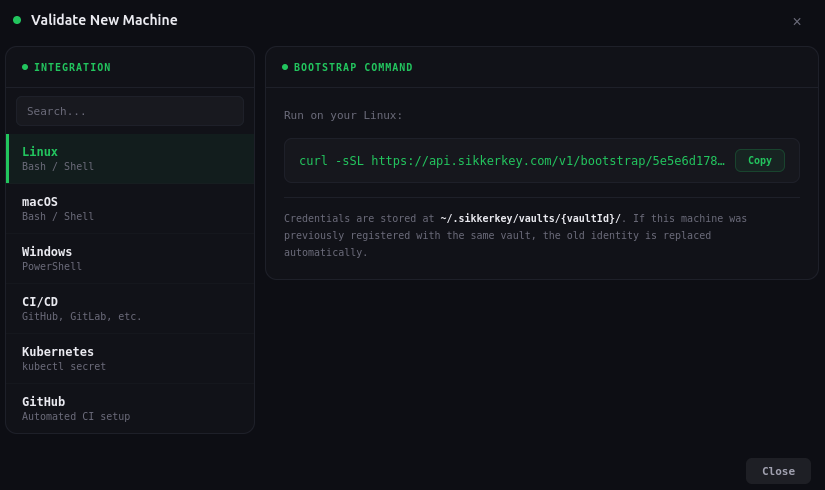
Generate a one-time bootstrap token from the dashboard. Run a single curl command on the target machine. It generates an Ed25519 keypair, registers with SikkerKey, and stores credentials locally. The token expires in 10 minutes and can only be used once.
curl -sSL https://api.sikkerkey.com/v1/bootstrap/<token> | shCredentials are stored at ~/.sikkerkey/vaults/{vaultId}/. Supports Linux, macOS, and Windows (PowerShell). No external dependencies.
Every request is cryptographically signed
Machines sign every request with their Ed25519 private key. The signed payload includes the HTTP method, path, timestamp, a unique nonce, and a SHA-256 hash of the request body. The server verifies the signature against the machine's registered public key.
signed = {method}:{path}:{timestamp}:{nonce}:{bodyHash}Machines need nothing beyond their Ed25519 keypair. Decryption happens server-side. If the signature doesn't verify, the request is rejected and logged as an auth failure.
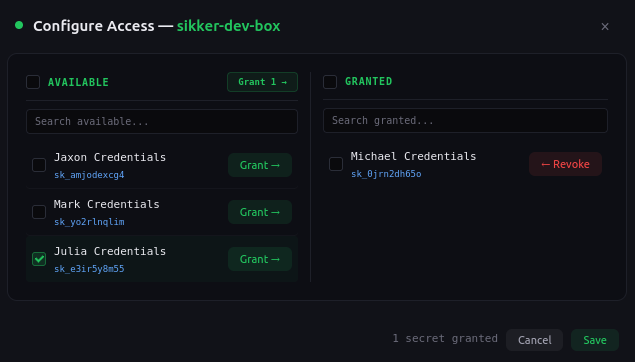
Per-secret access grants
Machines don't get access to entire projects. You grant access to individual secrets. A machine can only read a secret it has been explicitly granted access to. Revoke access instantly from the dashboard, and the machine loses access on its next request.
Access policies that bind to secrets
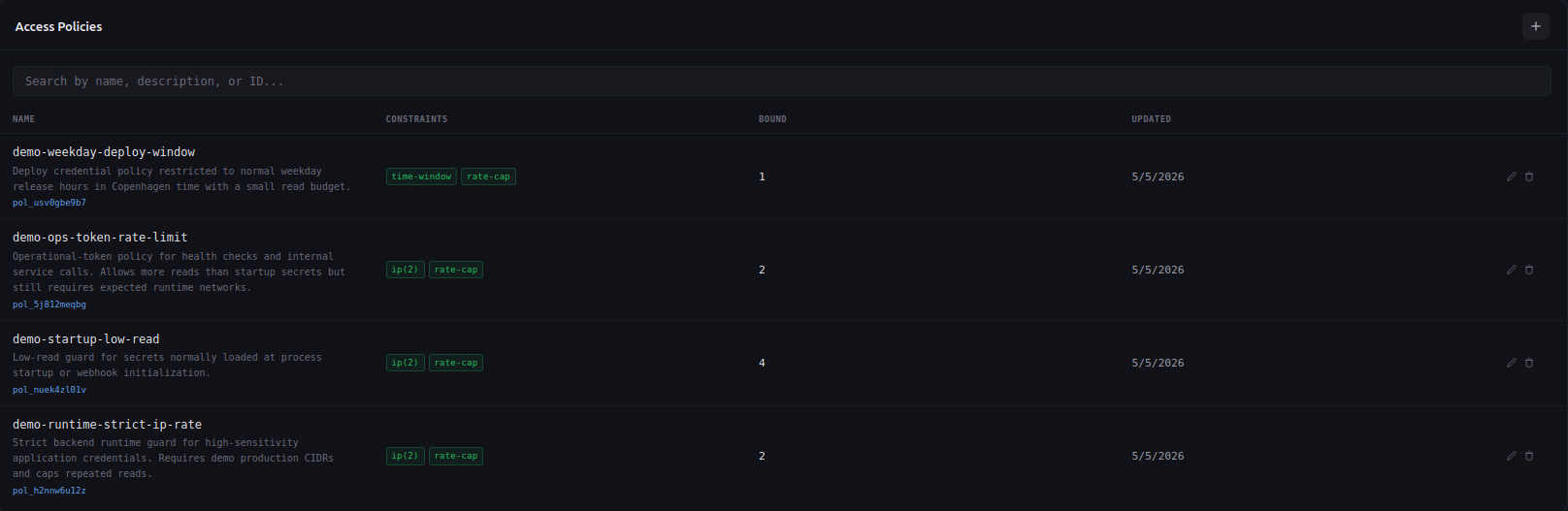
Build reusable policies that constrain when, where, and how often a secret can be read. Bind one policy to many secrets, tune the rules in one place. The five constraints stack independently, and any one of them rejecting a request rejects the whole read.
- Time window. Only allow reads during business hours, on specific weekdays, in a chosen timezone.
- IP allowlist. Restrict reads to a CIDR set. Production secrets stay inside production.
- Read-rate cap. Cap reads per minute and per day. Compromised credentials hit the ceiling fast.
- Co-sign. Require a second machine to approve the read inside a short window.
- TTL. Auto-expire by date or after N total reads. The credential revokes itself.
Built-in protection at every layer
Defense in depth, not security theater.
Replay protection
Every nonce is tracked in the database. A replayed request is rejected even if the signature is valid. Nonces are scoped per machine.
Timestamp window
Requests must be signed within a 5-minute window. Clock skew of up to 1 minute is tolerated. Anything outside is rejected.
Rate limiting and lockout
3 failed auth attempts in 5 minutes triggers a 30-minute lockout per IP and per machine. Brute-force is not viable.
Full audit trail
Every auth attempt, successful or not, is logged with the machine ID, IP address, timestamp, and failure reason.
Account status checks
Even with a valid signature, requests are rejected if the vault owner account is suspended, banned, or pending verification.
Zero stored secrets
The server stores only the public key. The private key exists only on the machine. There is nothing to steal from the server.
Stop using bearer tokens for machine access.
Register your first machine in under a minute. No credit card required.
Start for Free